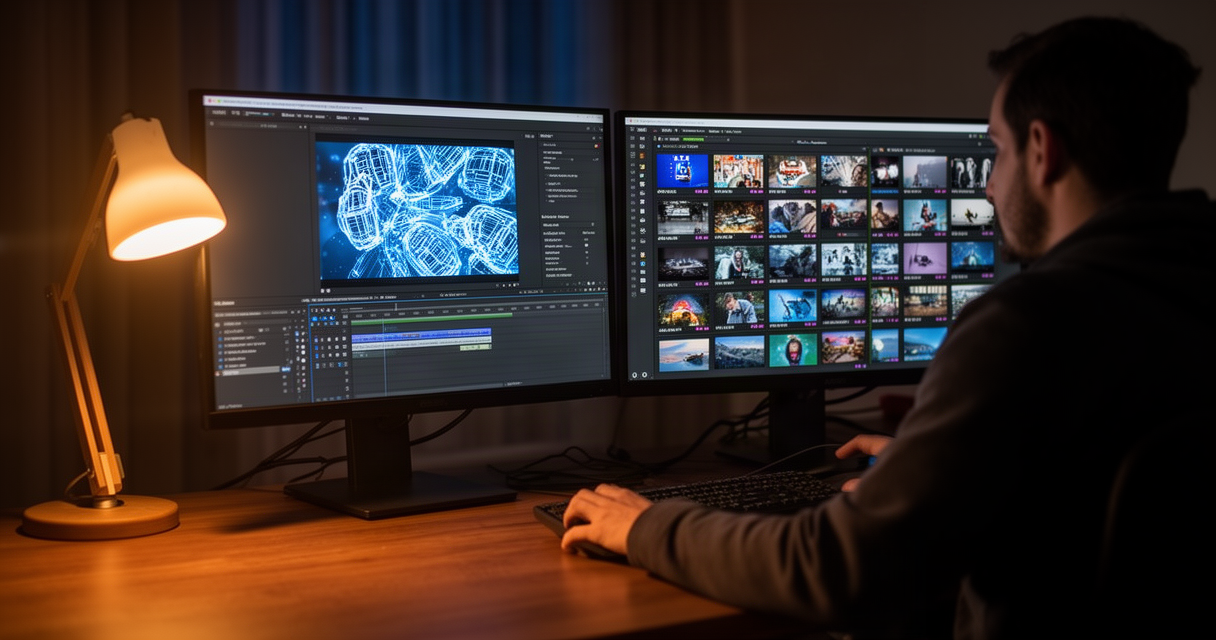
The 40-minute stock-footage search — type “woman in cab at night, not smiling at her phone” into Storyblocks or Envato, scroll past 900 near-identical clips, settle for the least-wrong one — is starting to lose to a 20-minute AI generation.
That shift matters more than it looks. The stock-footage markup freelance editors have quietly billed as margin for a decade is eroding fast, part of how AI is reshaping freelance income across the industry. The replacement isn’t free money, though. It carries revision time, a real hit-rate problem, and a licensing question most editors haven’t thought through before it lands on a client’s desk.
AI b-roll is genuinely worth switching to for atmospheric filler, textures, and non-specific connector shots — often faster and cheaper per usable clip than a stock library. It is not worth it, and can actively hurt an editor, for anything involving real faces, brand-safe commercial work, or continuity across a sequence. Hit rates collapse and licensing exposure rises. The skill that pays now is knowing which bucket a shot falls into, and pricing the judgment call rather than the render.
The breakdown by shot type, by tool, and by what happens when a client finds out, follows.
AI B-Roll vs. Stock Footage: The Quick Decision Table
This is a shot-type decision, not a tool decision. The right call changes clip to clip within the same project, not project to project.
| Shot type | Switch to AI generation when | Stay on stock or shoot practical when |
|---|---|---|
| Abstract textures, generic city motion, slow object pushes | Always — no faces, no continuity to match | Rarely necessary |
| Atmospheric filler (skylines, weather, ambient interiors) | The shot won’t be scrutinized frame by frame | The client has a specific real location in mind |
| Connector/transition shots between real scenes | Time is tighter than the client’s budget | Regrade time will exceed the stock license cost |
| Recognizable people performing a specific action | Almost never without written sign-off | Default position |
| Sequences requiring visual continuity across multiple shots | Rarely — each clip tends to be its own world | Default position |
| Broadcast/commercial brand-safe delivery | Only with disclosed, cleared use | Default position |
The hit rate on that connector row is the number that should set expectations. One editor working furniture-brand product spots, where connector shots make up most of the job, put it plainly on r/VideoEditing: “Cutting product spots for two furniture brands, so connector shots are most of my job. The 40 minutes isn’t the real cost, the regrade is. My hit rate on a usable connector is about one in six, and that was on Runway, which I dropped this year, worst output per credit of anything I’ve paid for.”
That one-in-six ratio reframes the entire cost conversation. The generation itself is fast. The work of making it belong in the sequence is not. Another editor on the same subreddit described the gap directly: “the bit that doesn’t show up in the time math is matching it to the footage around it. generating the cab shot is 20 min, getting it to not look like a different movie when it sits between two things you actually shot is where the afternoon goes.”
What AI B-Roll Actually Costs vs. a Stock Footage Subscription
On sticker price alone, generation tools look competitive with stock libraries. Runway’s Standard plan runs about $12 per month on an annual commitment, with roughly 625 credits per month, per Runway’s pricing page (checked September 2026). Envato Elements sits around $16.50 per month annually for unlimited stock, and Storyblocks Essentials runs about $21 per month. Kling AI’s Standard tier starts from roughly $7-10 per month depending on the billing cycle, and Luma’s Dream Machine Standard plan runs around $30 per month — both figures vary by source and are worth verifying directly before quoting a client, since generation-tool pricing shifts more often than stock subscriptions do.
None of those numbers include the hidden line item: regrade and matching time. “AI is cheaper” only holds up if the editor’s own revision hours don’t count against the project. For a freelancer billing by the project rather than the hour, that’s the number that actually determines margin — not the monthly subscription fee.
Filler and atmospheric shots rarely need much matching work, which is exactly where the cost math favors generation. Connector shots and anything sitting between two pieces of real footage are where the regrade tax shows up, and where a one-in-six hit rate turns a $12 subscription into an afternoon nobody billed for.
Runway, Kling, and Luma for B-Roll: What Freelance Editors Are Actually Using
No single tool dominates the freelance b-roll workflow in late 2026, and the community discussion reflects that. Runway remains widely used but draws consistent complaints about output quality relative to credit cost — the editor quoted above dropped it entirely this year and now runs Seedance and Veo 3 through a third-party aggregator instead of paying for direct access to any one model.
Kling AI is the cheapest entry point for commercial, watermark-free output among the major players, which makes it a reasonable default for high-volume filler work where per-clip cost matters more than peak fidelity. Luma’s Dream Machine sits at the other end on price for its Standard tier, but it includes commercial usage rights and a storyboard mode that some editors find useful for planning multi-shot sequences before generating.
Continuity across generated clips is the failure mode that shows up across every tool, not just one. An editor on r/editors described it bluntly: “In my experience, more uniform has not been an advantage of generative ai. Attempts to create coverage of different shots usually fails, has minute details and human appearances change slightly to drastically from prompt to prompt. Even the amazing looking VEO3 examples don’t show a sequence of coverage.”
That failure pattern is the strongest argument for treating single-tool loyalty as a mistake. A multi-model stack, generating the same shot across two or three tools and picking the best result, tends to beat betting an entire project on one model’s particular quirks. For editors already juggling client review and async feedback loops, other video tools freelance editors rely on for the recording and review side of the workflow are worth keeping in the same conversation — the generation tool is one piece of a stack, not the whole stack.
Who Owns AI-Generated B-Roll — and Why Some Clients Are Rejecting It Outright
The ownership question has a clear legal default and a messier practical reality. The US Copyright Office’s guidance holds that purely AI-generated output lacks human authorship and isn’t independently copyrightable — usable in commercial work, but not enforceable against someone else reusing the exact same generated clip. The edited project as a whole, with human-directed selection, sequencing, and additional footage, remains protectable; the raw AI output sitting inside it is not.
Runway’s terms of service claim no ownership over generated outputs and place no commercial restriction on paid tiers, but the platform trains on both inputs and outputs by default on everything below its Enterprise plan. That default matters for client confidentiality as much as for licensing. An editor on r/editors flagged the deeper version of this problem: “What I’m curious about is the licensing status of anything created with VEO2/3. I know that Adobe was smart and only trained Firefly from their stock library so you can copyright what you’ve created using it. But it’s very murky with other services because they were mostly trained on materials where the creators didn’t give consent.” The same tension shows up in still-image work — how freelance designers handle AI commercial licensing runs into an almost identical split between Firefly’s stock-only training and everything else’s murkier provenance.
Regulation is now adding a concrete deadline to this conversation. The EU AI Act’s Article 50 transparency rules, applicable from August 2, 2026, require AI-generated video to carry machine-readable labeling identifying it as synthetic content, with penalties reaching EUR 15 million for noncompliance. That’s the specific trigger behind agencies adding AI-disclosure clauses to contracts this year, not a vague industry mood shift.
Some studios have gone further than disclosure and banned generative tools outright. One post-production shop’s policy, described on r/editors, leaves no room for interpretation: “We have a non negotiable clausure that Gen Ai is complete banned from our pipeline. If we find any one using it is automatic fired.” Undisclosed AI use in a market moving toward mandatory labeling isn’t a gray area worth testing — it’s a fireable offense at a growing number of shops, and a contract breach at others. Disclosure belongs in the SOW before delivery, not as a defense after a client’s legal team asks about it.
Our Take: Rebill the Judgment Call, Not the Render
The old stock-footage markup is dead regardless of which tool wins the generation race. Clients increasingly assume editors already have generation access baked into their rate, the same way they assumed access to a stock library five years ago. Treating AI b-roll as a premium add-on is no longer a credible pitch.
What replaces that markup is a different billable skill: the judgment call on which shots are safe to generate, a written AI-use disclosure that heads off a rejected delivery, and catching the regrade/continuity tax before it silently eats a day rate. That mirrors the broader pattern across freelance work right now — AI eliminates the commodity version of a task while creating a real premium for whoever can make and defend the harder call sitting on top of it.
The counter-argument, that disclosure invites unnecessary risk by giving clients a reason to say no, doesn’t hold up against what’s actually happening in client relationships. One editor on r/VideoEditing summarized the exposure of skipping that conversation: “I’d be extremely careful with this sort of thing. Some people don’t care. But some people really hate AI stuff. So there’s a real risk you hand something to a client without clearing it and it blows up on you and they don’t accept the delivery.” A rejected delivery costs far more than the conversation that prevents it.
The practical stance that holds up: never generate a recognizable face for commercial or broadcast work without written client sign-off, and treat filler or atmospheric shots as fair game by default. Everything in between gets the judgment call — and that judgment call is what’s actually worth billing for now.
Frequently Asked Questions
Can freelance video editors legally use AI-generated B-roll in paid client work?
Generally yes — Runway, Kling, and Luma all grant commercial-use rights on their paid tiers. The real risk sits in two places: undisclosed use violating a client’s internal AI policy or the EU AI Act’s Article 50 labeling requirement, and the fact that raw AI output isn’t copyrightable under US Copyright Office guidance, so reuse by someone else can’t be stopped after the fact.
Is AI B-roll actually cheaper than a stock footage subscription once time is factored in?
For filler and atmospheric shots, usually yes. For anything requiring iteration to match surrounding footage or depicting a specific human subject, regrade and revision time can erase the savings entirely — editors report hit rates as low as one in six for connector shots on some tools.
Who owns AI-generated B-roll used in a client’s final video?
Nobody cleanly owns the raw AI output under current US law, since it lacks human authorship. The edited work as a whole, including selection, sequencing, and any human-added elements, remains protectable. Runway disclaims ownership of its outputs and applies no commercial restriction on paid tiers; every tool’s terms should be checked individually before delivery.
Why are some clients rejecting AI-generated footage over disclosure and training-data concerns, and how should freelancers respond?
The EU AI Act’s Article 50, applicable from August 2, 2026, requires AI-generated video to be labeled as synthetic content in machine-readable form, with penalties reaching EUR 15 million. That’s pushing agencies toward AI-disclosure or outright AI-ban clauses. The response is disclosing AI use in the SOW or contract before delivery, not after a client’s legal team finds it.
When does AI B-roll generation save money vs. cost more in revision time?
It saves money on generic filler, textures, abstract motion, and previz work. It costs more when matching grain, color, or handheld drift to real footage, or when regenerating repeatedly to keep a subject visually consistent. Budgeting for iteration, not a single generation, is what keeps the cost math honest.
The Stock Subscription Isn’t Dead, But the Markup On It Is
AI b-roll is a legitimate replacement for the boring part of a stock subscription — the generic filler, the abstract textures, the connector shots nobody scrutinizes. It is not a replacement for judgment, disclosure, or the shots that need to actually look real.
Before the next project, the practical move is sorting the typical b-roll list into two piles: safe to generate, and needs real footage or stock. Then adding one line to the contract or SOW disclosing AI-generated content use, before a client’s legal team finds it first.
The stock-footage markup is gone either way. The only question left is whether the editor saw it coming, or is still invoicing for a 40-minute search nobody’s paying for anymore.