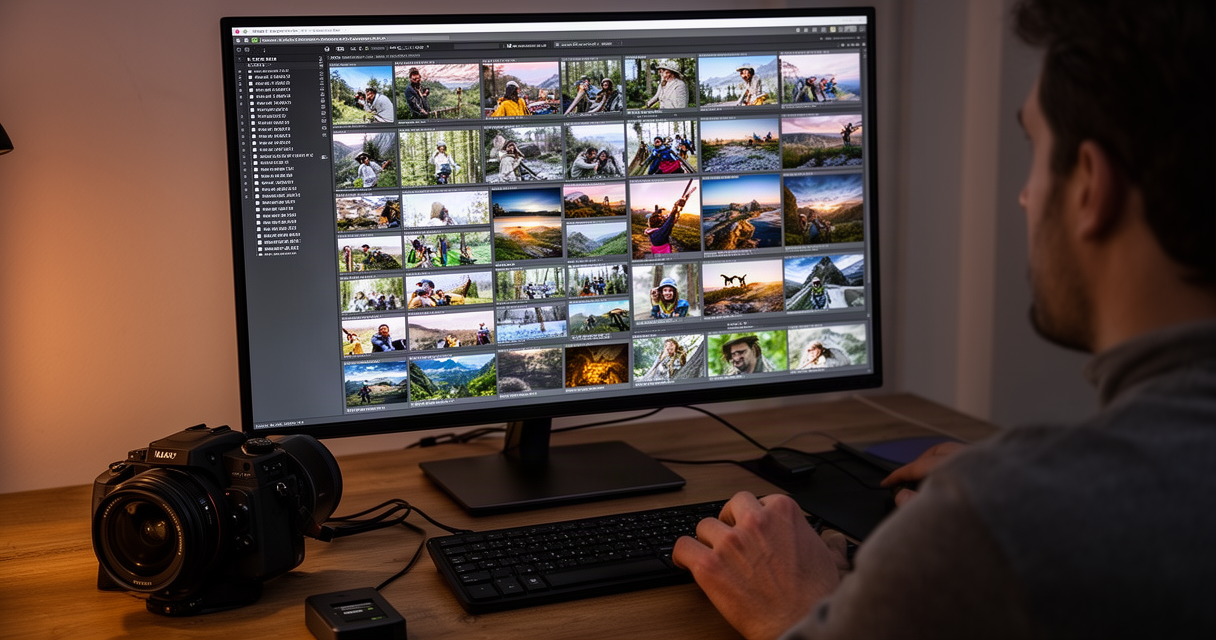
A freelance wedding photographer comes home from a Saturday shoot with 4,000 to 8,000 RAW files and one decision standing between the shoot and the invoice: which frames are keepers. Nobody gets paid to look at 6,000 photos. Culling is the least creative, most hated part of the job — which makes it exactly the kind of commodity grunt work AI is best suited to eat. AI is already eating the commodity parts of freelance work, and photo culling is a clean example: repetitive, rules-based, and measurable against a technical standard rather than a creative one.
The problem is most of what’s written about the best AI photo culling software for freelance photographers comes from the vendors themselves, or repeats their benchmark numbers without checking them. That’s not a knock on the category — it’s a reason to read the fine print before paying for a year up front.
The short version: a solo shooter doing fewer than 20 weddings a year gets the most for the least with Aftershoot’s Select tier, roughly $10 to $15 a month, the cheapest option and the only one that runs entirely on the photographer’s own machine by default. Narrative Select is the pick for anyone who wants AI to assist the cull rather than auto-decide it, inside a Lightroom-adjacent workflow. FilterPixel and Imagen AI are both cloud tools — worth considering only if uploading client images to a third-party server is something the photographer is comfortable with. None of the four replace a photographer’s editorial eye; real users of all four still say they review the AI’s picks before trusting them.
For freelancers weighing what’s worth a subscription at all, this sits alongside the AI tools freelancers are actually paying for — culling software earns its keep the same way the good ones do: by removing hours of work nobody wants to do, not by pretending to replace judgment.
What AI Photo Culling Actually Does (and What It Doesn’t)
AI culling tools analyze a batch of RAW files for a specific set of technical signals: sharpness, exposure, closed eyes and blinks, duplicate frames, and burst sequences. They group similar shots, rank them, and flag the technically weak ones for rejection.
That’s the entire job. These tools pre-sort and flag — they do not edit, retouch, color-grade, or make the final creative selection. A photographer still opens the flagged folder and decides what actually goes to the client.
It’s worth being precise about the category, because “AI” gets used loosely in marketing copy. This is machine learning trained on technical-quality signals — sharpness maps, histogram analysis, facial detection for blinks — not generative AI making creative judgments about a photo. Nothing in Aftershoot, Narrative Select, FilterPixel, or Imagen AI is deciding what a good photo feels like. They’re deciding what’s in focus and whose eyes are open.
Does It Replace Your Photographic Eye? (No — and Users Say So)
AI culling flags technical misses reliably. It does not judge moment, emotion, or an intentional creative choice — a photographer’s deliberate soft-focus shot or an off-center composition that makes the frame.
Users of these tools consistently confirm the limitation themselves. On the Imagen AI side, one photographer in a community thread described the actual workflow: “I still look at every photo, AI groups duplicates so I cruise fast.” That’s the honest use case — the tool compresses review time, it doesn’t eliminate review.
The failure mode shows up on YouTube too. One reviewer said flatly that they “spent more time manually culling because I didn’t trust the picks — cancelled,” after the AI’s rejections didn’t match their own judgment closely enough to save time. A second commenter raised the more fundamental question: “does it actually save time if I review every image anyway?”
That question is the fair one to ask of every tool in this category. The honest answer is: it’s a first-pass grouper and rejection-flagger, not a decision-maker. It saves time on the mechanical sort. It does not save the photographer from looking at their own work.
The Best AI Photo Culling Software Compared: Aftershoot, Narrative Select, FilterPixel (+ Imagen AI)
Four tools dominate the conversation among freelance and small-studio photographers. They split cleanly on two axes: where the processing happens (local machine vs. cloud servers) and how much decision-making they hand over versus assist with.
| Tool | Local vs. Cloud | Solo-shooter entry price (approx.) | Free trial/tier | Best for |
|---|---|---|---|---|
| Aftershoot (Select) | Local | About $10–15/mo (annual/monthly) | 30-day free trial | Cheapest local culling-only option |
| Narrative Select | Local | About $10/mo (Lite) up to $60/mo (Ultra) | 30-day trial, no permanent free tier | Shooters who want AI to assist, not auto-cull |
| FilterPixel | Cloud | About $14.99–19/mo (Standard) | Genuinely free tier (4 projects) | Testing the category with zero commitment |
| Imagen AI | Cloud (previews by default) | About $12/mo culling (annual), editing billed separately | No free tier; usage-based editing pricing | Shooters who also want AI-assisted editing |
Pricing is per each vendor’s current pricing page, checked in 2026 — tiers shift and some of these vendors post conflicting numbers across their own marketing and pricing pages, so treat the figures above as approximate and confirm before buying an annual plan.
Aftershoot is the local-only option: RAW files never leave the photographer’s machine, and its Select tier is culling-only, without the full editing suite bundled into its pricier plans. It learns from the photographer’s own star ratings over time, in theory converging on that photographer’s taste rather than a generic standard. In practice, the community reaction is split. A 94-upvote thread on r/WeddingPhotography called it “a waste of money,” with the poster describing the AI as “just firing 5 stars at random.” Another photographer in the same community was blunter about the accuracy problem: “dark/blurry 5-star, sharp 1-star, I manually cull everything, every time.” Against that, other users report it working closer to the intended design — one described the actual workflow as “Aftershoot culls, I double-check grid view, the AI learns from my changes,” treating it as a first pass rather than a final answer.
Narrative Select is also local and lives inside a Lightroom-adjacent workflow, but it’s explicitly positioned as assisted rather than automated — it ranks and groups, and leans harder on the photographer making the calls than Aftershoot’s more hands-off pitch. There’s no permanent free tier; the 30-day trial caps at three Pro projects or 1,000 credits and doesn’t require a card. Paid tiers run from around $10/month (Lite) up to $60/month (Ultra) depending on volume.
FilterPixel is the cloud option with the lowest barrier to entry — a genuinely free tier covering four projects with unlimited photos and no card required, which makes it the easiest of the four to actually test. Paid tiers run roughly $14.99 to $19 for Standard, up to about $65 for Studio, though FilterPixel’s own pages don’t always agree with each other on the exact numbers. FilterPixel’s marketing cites 98.5% accuracy and culling 3,000 photos in 2 minutes 58 seconds — both numbers come from FilterPixel’s own self-reported benchmark, not an independent test, and should be read as vendor-claimed rather than verified. On the community side, feedback has skewed more positive than Aftershoot’s, with one user describing “a positive experience, small responsive team” after support interactions.
Imagen AI is cloud-based but by default uploads smart previews rather than full RAW files — the originals stay on the photographer’s own machine unless the photographer opts into Imagen’s cloud storage. Culling is priced separately from its AI editing feature, which runs pay-as-you-go at roughly $0.05 per photo (with a $7/month minimum) or through annual volume plans, making the overall pricing structure genuinely more complex than the other three.
Local vs. Cloud: The Tradeoff the Marketing Pages Skip
This is the axis that actually decides which tool fits a given freelancer’s business, and it gets almost no attention on the vendor pricing pages themselves.
Aftershoot and Narrative Select run locally. Client RAW files never leave the photographer’s computer — the tradeoff is that the culling job ties up the photographer’s own CPU or GPU during processing. FilterPixel runs on cloud servers, meaning every photo in a shoot gets uploaded to a third party before culling even starts. Imagen AI is cloud-based too, but its default behavior uploads compressed previews rather than full RAWs, with the option to keep originals local entirely.
That distinction is not academic. It’s a client’s face data — potentially minors, potentially private events — leaving the photographer’s control and landing on a vendor’s servers. Most wedding and portrait contracts don’t explicitly address whether a third-party AI service gets a copy of the client’s images before delivery. Checking the model release and client contract before uploading a shoot to a cloud culling tool is a practical step, not legal advice, but it’s worth doing before the first upload rather than after a client asks.
One photographer’s reasoning for sticking with Aftershoot captured the calculation directly: “Aftershoot local so no cloud cost.” That’s not just a cost argument — it’s a control argument, and it’s the stronger one for anyone shooting people who haven’t been told their images are going through a cloud AI pipeline.
There’s a second layer worth flagging here. Moderators on r/WeddingPhotography have posted an explicit warning about the discourse around these tools: “a significant level of astroturfing relating to this topic and specific AI companies… be extra vigilant.” That cuts both ways — a glowing thread praising a tool deserves the same skepticism as a vendor’s own claims, and a pile-on thread trashing a competitor deserves it too.
The position here: local processing is the safer default for anyone photographing people, unless cloud usage has been explicitly disclosed to the client. That’s not a knock on FilterPixel or Imagen AI’s product quality — it’s a data-handling question that has nothing to do with how good the culling algorithm is.
Is It Worth It for a Solo Shooter (vs. a High-Volume Studio)?
Vendor claims of culling “a full wedding in 15 minutes” show up across this category’s marketing, almost always benchmarked on the vendor’s own test galleries under conditions the vendor controls. Treat that number as a ceiling under ideal conditions, not a guarantee.
The more useful backdrop is how much time freelance photographers actually lose to post-production. A survey of 423 photographers covered by PetaPixel found 28.6% spend 5 to 10 hours a week editing, 22.5% spend 10 to 20 hours, and 17.5% spend 20-plus hours — with more than half reporting editing fatigue. That survey was commissioned by Neurapix, an AI-editing vendor, which makes the numbers directional rather than neutral; a company selling the solution funded the study measuring the problem. A separate rule of thumb from ShootDotEdit, an outsourced wedding-editing service with its own commercial interest in the answer, pegs post-production at roughly 2 to 2.5 hours per hour of shooting — meaning a 400-to-800-image wedding runs 8 to 14 hours of editing plus 2 to 4 hours of culling.
Even discounted for who’s telling the story, the direction is consistent: culling and editing together eat a meaningful slice of a wedding photographer’s week. Against that backdrop, the entry-level tiers in this category — $10 to $20 a month across Aftershoot, Narrative Select, and FilterPixel — are cheap enough to trial risk-free. Every one of the four offers a free trial or free tier, which means the real test is running it against a gallery already culled by hand and comparing the AI’s picks to the photographer’s own, not taking anyone’s speed claim at face value.
For solo shooters doing fewer than 20 weddings a year, that trial-against-a-known-gallery approach answers is it actually worth paying for as a solo freelancer better than any vendor benchmark can. High-volume studios shooting 40 or more events a year get more out of these tools proportionally — more shoots means more training data for the AI to learn a shooter’s style, and the time saved compounds faster. The math is different for someone shooting six weddings a year than for a five-shooter studio running forty.
That said, the “does it actually save time if I review every image anyway” question from the YouTube reviewer earlier stands. If the AI’s picks require a full manual re-review to trust, the tool has added a step rather than removed one — which is exactly the failure mode the trial-first approach is designed to catch before a year’s subscription gets paid.
Who Should Skip AI Culling Entirely
Not every freelance photographer needs this. A few profiles are better off without it:
- Very low-volume shooters. Someone doing four or five shoots a year with a manual cull that already takes under an hour has little to gain from a monthly subscription built for volume.
- Fast manual workflows. Photographers already running an efficient keyboard-shortcut or controller-based culling system (Photo Mechanic speed-culling, for instance) may already be faster than reviewing an AI’s suggested picks.
- Documentary and moment-first shooters. Photojournalistic wedding and event work prioritizes emotional timing over technical polish — the exact judgment call AI culling tools are not built to make. A technically soft frame that captured the real moment will get flagged for rejection by software that can’t tell the difference.
- Anyone unwilling to upload client files without disclosure. If cloud processing isn’t something a photographer wants to explain to clients, the choice is either a local tool (Aftershoot, Narrative Select) or skipping AI culling altogether.
Frequently Asked Questions
Does AI photo culling actually save time?
For most users, yes — but only on the mechanical sort, not the full review. Photographers who trust the AI’s technical calls and use grid view to spot-check report real time savings; those who re-review every image because they don’t trust the picks report the opposite, as the YouTube “spent more time manually culling — cancelled” case shows.
Is it safe to upload client RAW files to cloud culling tools?
There’s no blanket answer — it depends on the client contract and model release, which most photographers haven’t checked for AI-upload language. FilterPixel uploads full images to cloud servers by default; Imagen AI uploads compressed previews rather than full RAWs unless cloud storage is explicitly enabled. Local tools (Aftershoot, Narrative Select) avoid the question entirely by keeping files on the photographer’s own machine.
What’s the cheapest option for a solo freelance photographer?
Aftershoot’s Select tier is the lowest-cost option among the four, at roughly $10 to $15 a month depending on annual versus monthly billing, and it’s the only one that pairs that low price with fully local processing.
Which tool is most accurate?
None of the four have independently verified accuracy figures. FilterPixel’s 98.5% accuracy claim is self-reported by FilterPixel. Aftershoot’s community feedback is genuinely split between users who find it reliable after training and users who report obvious technical misses. The only reliable test is running the free trial against a gallery already culled by hand.
Do freelancers still need to review every photo?
Yes, according to users of every tool in this category. AI culling flags technical issues and groups duplicates — it doesn’t make the final selection. Photographers who skip the review step report the worst outcomes, whether that’s an unreviewed 5-star blurry frame or a missed moment the AI flagged as technically weak.
Is AI culling worth it for a photographer who only shoots a few weddings a year?
The entry-level tiers are cheap enough that the real question isn’t cost — it’s whether a low shoot volume generates enough repetitive grunt work to justify a subscription at all. A trial against one already-culled gallery answers that faster than any pricing comparison.
The Bottom Line
Most solo freelance photographers should start with Aftershoot’s culling-only tier — it’s the cheapest option in the category and the only one that keeps client files local by default. Photographers who want AI to assist rather than auto-decide, inside a Lightroom-adjacent workflow, should add Narrative Select to the trial list. FilterPixel and Imagen AI are worth considering only for shooters comfortable with client images going through a cloud pipeline, disclosed or not.
Before paying for a year of any of these, run the free trial against one gallery already culled by hand and compare the AI’s picks to that manual cull directly. That’s the only benchmark that means anything — not a vendor’s speed claim on its own test files. And once a shoot is culled, gallery delivery is its own decision, separate from how the images got sorted in the first place.
AI culling is a reasonable place to hand off commodity grunt work — just don’t hand off your judgment, or your client’s files, without checking what you’re actually agreeing to.